Most Common Problems with Cheap Keyboards
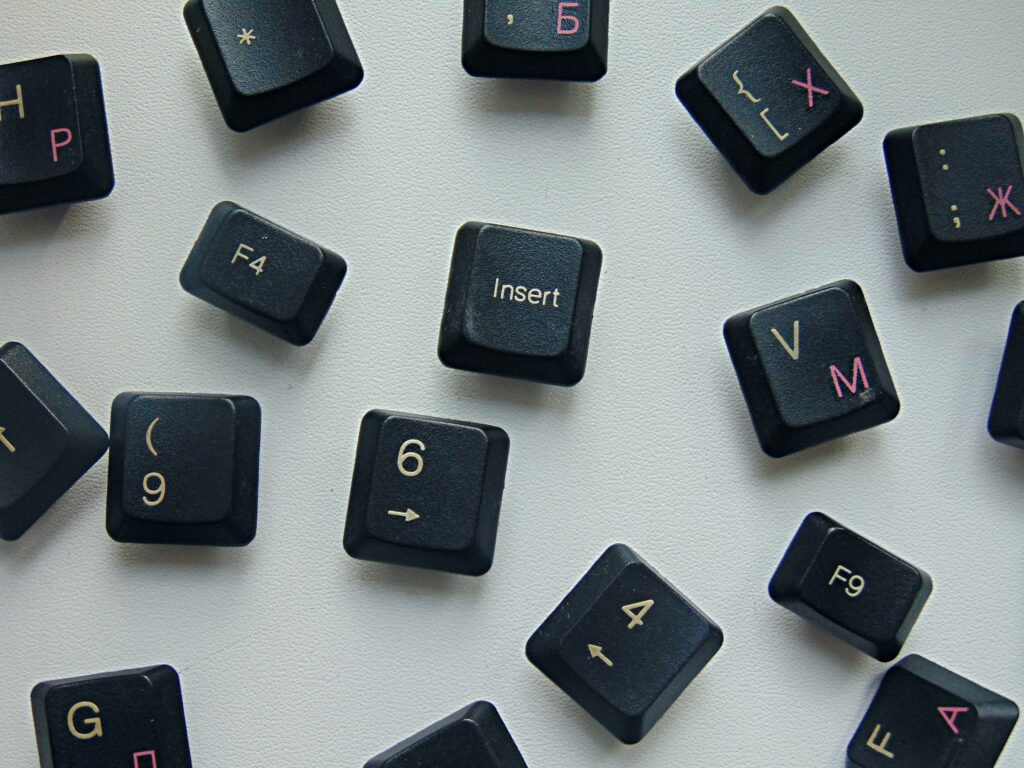
The Most Common Problems with Cheap Keyboards include inconsistent key presses, premature switch failure, wobbly keycaps, connection issues, and poor build quality that leads to frustrating typing experiences. After testing dozens of budget keyboards over the past few years, I’ve noticed these same issues appear repeatedly across different brands and price points. While cheap keyboards can save money upfront, they often cost more in the long run due to frequent replacements and lost productivity.
Understanding these common problems helps you make smarter purchasing decisions and know what warning signs to watch for when shopping for budget-friendly keyboards.
The Most Frustrating Keyboard Issues
Cheap keyboard issues typically show up within the first few months of regular use. The most annoying problem is inconsistent key registration – some keys require extra pressure while others trigger accidentally with light touches. This makes typing feel unpredictable and slows down your work significantly.
Double-typing is another major headache where keys register multiple presses from a single keystroke. You’ll find yourself constantly backspacing to fix “thhe” instead of “the” or dealing with random extra spaces between words. This happens because cheap keyboards use low-quality switches that can’t maintain consistent electrical contact over time.
Reddit users frequently complain about keys that work intermittently, requiring multiple presses or unusual angles to register. These inconsistencies are particularly frustrating during important work or gaming sessions where reliable input is crucial.
What Breaks First and Why
The Most Common Problems with Cheap Keyboards in terms of durability problems stem from manufacturers cutting corners on materials and quality control. The most common failure point is the USB connector, which uses thin wires and cheap plastic housings that crack or develop loose connections after a few months of plugging and unplugging.
Key stabilizers represent another weak point in budget keyboards. These plastic components keep larger keys like the spacebar and Enter key level during presses. Cheap stabilizers use brittle plastic that snaps easily, causing keys to tilt or stick when pressed off-center.
The internal circuitry in budget keyboards often uses the minimum components necessary to function, with no redundancy for when things go wrong. Tech discussions on Hacker News highlight how cheap keyboards fail catastrophically rather than degrading gradually, meaning you go from a working keyboard to complete failure overnight.
Why Keys Stop Working Reliably
Switch failure problems in cheap keyboards usually follow predictable patterns. The most-used keys like spacebar, Enter, and common letters fail first because they experience the most wear. You’ll notice these keys becoming “mushy” or requiring more force before they stop working entirely.
Membrane keyboards suffer from worn contact points where the rubber dome meets the circuit board. Once this contact degrades, keys become unresponsive or trigger multiple times per press. This problem is nearly impossible to fix without replacing the entire keyboard.
Even cheap mechanical keyboards aren’t immune to switch problems. Low-quality switches use inferior contact materials that corrode or wear away quickly. The springs may also lose tension, making keys feel inconsistent or causing them to stick in the pressed position.
Common Keycap Quality Issues
Keycap quality issues become obvious within weeks of regular use. Cheap keycaps use thin plastic that flexes and wobbles during typing, creating an unstable feeling that makes accurate typing difficult. The wobble gets worse over time as the plastic wears down and connection points become loose.
Letter fading represents another major problem with budget keyboards. Manufacturers often use pad printing or cheap laser etching that wears off quickly from finger oils and regular cleaning. Within a few months, you might find yourself guessing which keys are which, especially in low-light conditions.
The keycap mounting system on cheap keyboards often uses proprietary designs that make replacement impossible. Even if you wanted to upgrade to better keycaps, you’re stuck with whatever came on the keyboard originally, no matter how poor the quality becomes.
Budget Options That Can Disappoint
Unreliable mechanical keyboards in the budget category often promise premium features at impossibly low prices. These keyboards typically use clone switches that haven’t undergone proper quality testing, leading to inconsistent feel and premature failure across the keyboard.
The biggest red flag is keyboards that claim to use premium switches but sell for a fraction of the expected price. Genuine Cherry MX, Gateron, or Kailh switches have established costs, so extremely cheap mechanical keyboards likely use inferior copies that won’t last.
Build quality suffers when manufacturers focus solely on price. Cheap mechanical keyboards often have hollow plastic cases that create annoying ping sounds, loose components that rattle during typing, and poor assembly that leaves gaps where dust and debris can accumulate.
Budget Keyboard Compromises And What You’re Sacrificing
Budget keyboard compromises affect every aspect of the typing experience. To hit low price points, manufacturers must cut costs somewhere, and it’s usually in areas that affect long-term reliability and user satisfaction rather than initial functionality.
The most significant compromise is in quality control testing. Expensive keyboards undergo extensive testing to ensure consistent performance across all units. Cheap keyboards may work perfectly out of the box but fail quickly because individual units weren’t properly tested before shipping.
For those ready to step up from problematic budget options, the EPOMAKER TH80 Pro offers the quality and reliability that cheap keyboards can’t match, with hot-swappable switches and premium build materials that actually justify the investment.
Customer support represents another major compromise. Cheap keyboard manufacturers often provide minimal warranty coverage and unhelpful support when problems arise. Keyboard troubleshooting guides become essential when you can’t rely on manufacturer assistance to solve problems.
Warning Signs to Avoid When Shopping
Smart budget keyboard shopping means recognizing red flags before making a purchase. Avoid keyboards with overwhelmingly positive reviews that seem fake or generic. Real user reviews mention specific problems and provide detailed usage experiences rather than vague praise.
Be suspicious of keyboards that claim premium features at impossibly low prices. Features like hot-swappable switches, premium materials, and advanced connectivity cost money to implement properly. If the price seems too good to be true, the keyboard probably uses inferior components.
Check the warranty terms carefully. Reputable manufacturers offer at least 1-2 year warranties and responsive customer service. Companies that only offer 30-90 day warranties often expect their products to fail quickly and don’t want to deal with replacement costs.
Frequently Asked Questions
A decent budget keyboard should last 1-2 years with regular office work. Gaming or heavy typing may reduce this to 6-12 months. If a keyboard fails within 3 months, it was likely defective from the start.
Quality keyboards can develop problems, but they typically last 5-10 years before major issues arise. They also usually have better warranty support and replacement part availability.
Some issues like stuck keys or connection problems can be fixed with cleaning or cable replacement. However, switch failures and worn keycaps usually require complete keyboard replacement on budget models.
Not necessarily. A well-made membrane keyboard from a reputable brand often outlasts a cheap mechanical keyboard with poor-quality switches. The key is build quality, not just the switch type.
Where to Buy
Ready to avoid cheap keyboard headaches? The EPOMAKER TH80 Pro delivers the reliability and build quality that eliminates the frustrating problems common in cheap keyboards, making it a smart investment for your productivity.
Related Reads from Optiwire:
- Keep your setup in top shape with our guide on cleaning and maintaining your mechanical keyboard.
- For better flexibility, see our picks for the best wireless keyboards for multi-device use.
- And to complete your desk setup, don’t miss our roundup of proven wireless mice for students.