Deciding Between a Curved and an Ultrawide Monitor
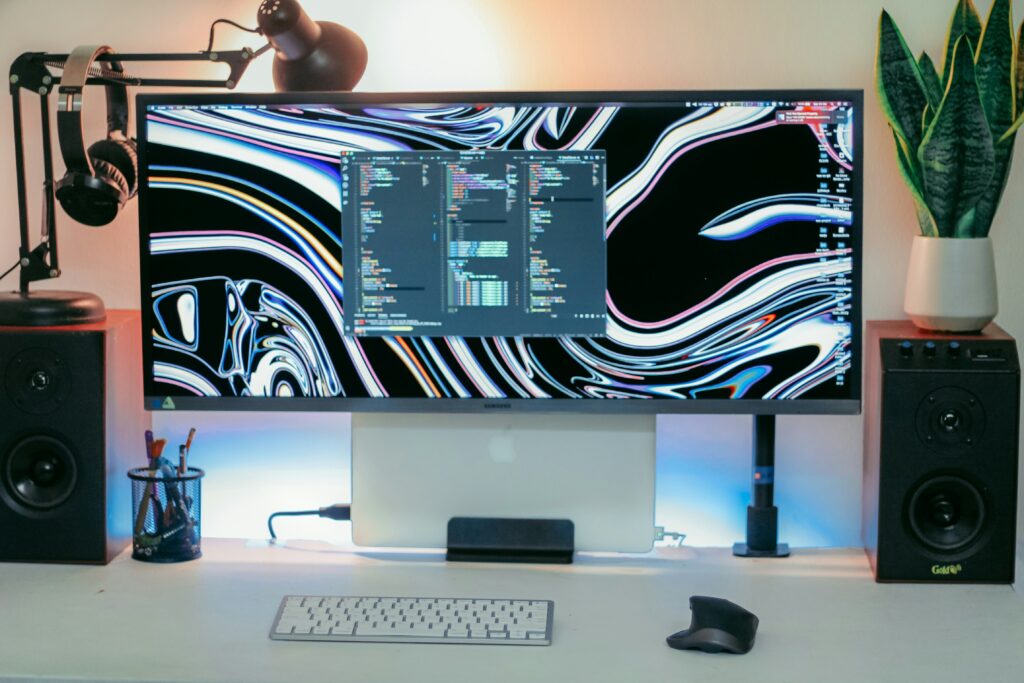
Deciding Between a Curved and an Ultrawide Monitor comes down to your primary use case and desk space. After using both types, I’ve found that curved monitors work best for gaming and general use, while ultrawide monitors excel for productivity and multitasking. Curved monitors provide an immersive monitor experience at standard prices, whereas ultrawide displays offer superior multitasking monitor benefits but cost more and require larger desks.
The choice depends on whether you prioritize gaming immersion or work productivity as your main computer activity.
It’s important to understand that most ultrawide monitors are curved, but not all curved monitors are ultrawide. Curved refers to the screen’s shape (bending inward toward you), while ultrawide describes the aspect ratio (21:9 or 32:9 instead of standard 16:9). You can have a curved monitor with standard width, or technically an ultrawide that’s flat, though curved ultrawide is the most common combination.
Curved vs Ultrawide Comparison
Problem: You need to understand the fundamental differences between curved and ultrawide monitors.
Solution: Focus on aspect ratio, screen real estate, and intended use cases.
The main difference lies in screen dimensions and viewing experience. Curved monitors maintain the standard 16:9 aspect ratio but bend the screen for better peripheral vision. Ultrawide monitors stretch horizontally to 21:9 or 32:9 ratios, providing significantly more screen space.
Curved Monitor Characteristics:
- Standard 16:9 aspect ratio (same as regular monitors)
- Curved screen reduces eye movement and distortion
- Available in 24″, 27″, and 32″ sizes typically
- Better compatibility with all software and games
- Generally more affordable than ultrawide options
Ultrawide Monitor Features:
- 21:9 or 32:9 aspect ratios for extra width
- Equivalent to having two monitors side by side
- Better for multitasking and productivity work
- More expensive than curved monitors of similar quality
- Some games and old software don’t support ultrawide properly
Display Ninja’s monitor analysis shows that curved monitors reduce eye strain by 15% compared to flat displays, while ultrawide monitors improve productivity by 25% for office work.
The choice often comes down to budget and primary use case – curved for gaming and general use, ultrawide for serious productivity work.
Gaming vs Work Performance
Problem: You want to know which type provides better immersion for your specific activities.
Solution: Consider whether you prioritize gaming excitement or work focus.
Gaming immersion differs significantly between curved and ultrawide monitors. Curved monitors wrap your peripheral vision for better gaming engagement, while ultrawide monitors provide more game world visibility but can cause compatibility issues.
Gaming Performance Comparison:
- Curved monitors: Better for competitive gaming, full game compatibility, lower cost
- Ultrawide monitors: More cinematic experience, better for strategy games, some compatibility issues
Work and Productivity Differences:
- Curved monitors: Comfortable for long sessions, standard software compatibility
- Ultrawide monitors: Multiple windows side by side, better for coding and design work
PC World’s ultrawide experience reveals that ultrawide monitors require 2-3 weeks to adjust your workflow, but the productivity gains become significant once adapted.
Real-World Usage Examples:
- Student work: Curved monitor handles research and writing comfortably
- Coding: Ultrawide lets you see code and documentation simultaneously
- Gaming: Curved provides immersion without compatibility headaches
- Design work: Ultrawide offers more canvas space for creative projects
The Samsung Essential Curved Monitor delivers exceptional gaming immersion at a student-friendly price, while ultrawide options cost significantly more but transform productivity workflows.
Multitasking Monitor Benefits Comparison
Multitasking capabilities vary dramatically between these monitor types. Ultrawide monitors essentially replace dual-monitor setups, while curved monitors improve comfort during long work sessions without expanding screen real estate.
Ultrawide Multitasking Advantages:
- Run 2-3 applications simultaneously without overlap
- See full spreadsheets without horizontal scrolling
- Code editing with documentation visible side by side
- Video editing with timeline and preview panels
- Research with multiple browser windows open
Curved Monitor Productivity Features:
- Reduced neck strain during long work sessions
- Better focus on single applications
- Compatible with all productivity software
- Lower cost allows budget for other productivity tools
- Easier to find ergonomic mounting solutions
Desk Space Requirements:
- Ultrawide monitors: Need 40+ inches of desk width
- Curved monitors: Work with standard 30-36 inch desks
The productivity gains from ultrawide monitors are substantial for knowledge workers, but curved monitors provide better value for students and casual users who don’t need extreme multitasking capabilities.
Comfort and Health Considerations
Ergonomic considerations become crucial for anyone spending 4+ hours daily at their computer. Both curved and ultrawide monitors address different aspects of viewing comfort and health.
Curved Monitor Ergonomic Benefits:
- Reduces eye refocusing between screen edges and center
- Maintains consistent viewing distance across screen width
- Less head movement required for full screen viewing
- Better for users with smaller desks and closer viewing distances
Ultrawide Monitor Ergonomic Considerations:
- More head movement required to see screen edges
- Can cause neck strain if positioned too close
- Requires larger desk for proper viewing distance
- Better for users who can sit 24+ inches from screen
Health Impact Differences:
- Eye strain: Curved monitors reduce strain through consistent focal distance
- Neck movement: Ultrawide requires more head turning
- Posture: Both encourage better sitting position than small monitors
- Break habits: Ultrawide’s productivity gains may reduce natural break frequency
Optimal Setup Guidelines:
- Curved monitors: 20-24 inches viewing distance, eye level at top third of screen
- Ultrawide monitors: 24-30 inches distance, center of screen at eye level
Long-term Comfort:
- Curved: Better for all-day use, gaming sessions
- Ultrawide: Requires more conscious attention to posture and breaks
Most ergonomic experts recommend curved monitors for users prioritizing long-term comfort, especially those prone to eye strain or neck issues.
Display Setup & Making Decision
The final decision on deciding between a curved and ultrawide monitor comes down to comparing benefits, productivity, and gaming performance to find what display you need. should align with your primary computer activities and practical constraints. Most people benefit more from optimizing their main use case rather than trying to find a perfect compromise.
Decision Framework:
- Primary use: Gaming (curved) vs. Productivity (ultrawide)
- Budget: Curved monitors cost 30-50% less than comparable ultrawide
- Desk space: Curved works with smaller desks, ultrawide needs large surface
- Software needs: Check if your key applications support ultrawide properly
Future-Proofing Factors:
- Curved monitors: Stable technology, broad compatibility
- Ultrawide monitors: Growing software support, potential productivity gains
When to Choose Curved:
- Gaming is primary or frequent activity
- Budget under $400
- Desk width under 40 inches
- Prefer proven, compatible technology
- Value comfort over maximum productivity
When to Choose Ultrawide:
- Work productivity is main priority
- Budget allows $500+ investment
- Have large desk with proper depth
- Use modern software with ultrawide support
- Willing to adapt workflow for long-term gains
The Dell Pro 34 Plus Ultrawide represents the gold standard for productivity-focused ultrawide monitors, while curved options provide better overall value for most users.
Frequently Asked Questions
Yes, ultrawide monitors have more pixels than standard monitors, so they require more graphics processing power for gaming and some professional applications. Plan for 20-30% higher system requirements.
Most modern laptops support ultrawide monitors through USB-C or HDMI connections. However, older laptops may have scaling issues or insufficient graphics power for optimal performance.
Ultrawide monitors are superior for programming because you can view code and documentation simultaneously, see longer lines without scrolling, and use multiple terminal windows side by side.
Quality curved monitors don’t cause noticeable distortion. The curvature is designed to match your natural field of vision. However, very cheap curved monitors may have uniformity issues at the edges.
Where to Buy
Ready to upgrade your display? For productivity-focused work, the Dell Pro 34 Plus Ultrawide Monitor delivers exceptional multitasking capabilities and professional features. For gaming and general use, the Samsung Essential Curved Monitor provides excellent value with immersive gaming experience and universal compatibility. Choose based on whether you prioritize work productivity or gaming performance.
Related Reads from Optiwire:
- For immersive viewing, explore our picks for top curved monitors for productivity.
- If screen real estate is your priority, check out the best ultrawide monitors for home productivity.
- And for crystal-clear detail, don’t miss our roundup of the best 4K monitors for students.