Best Budget Tablet for Note-Taking
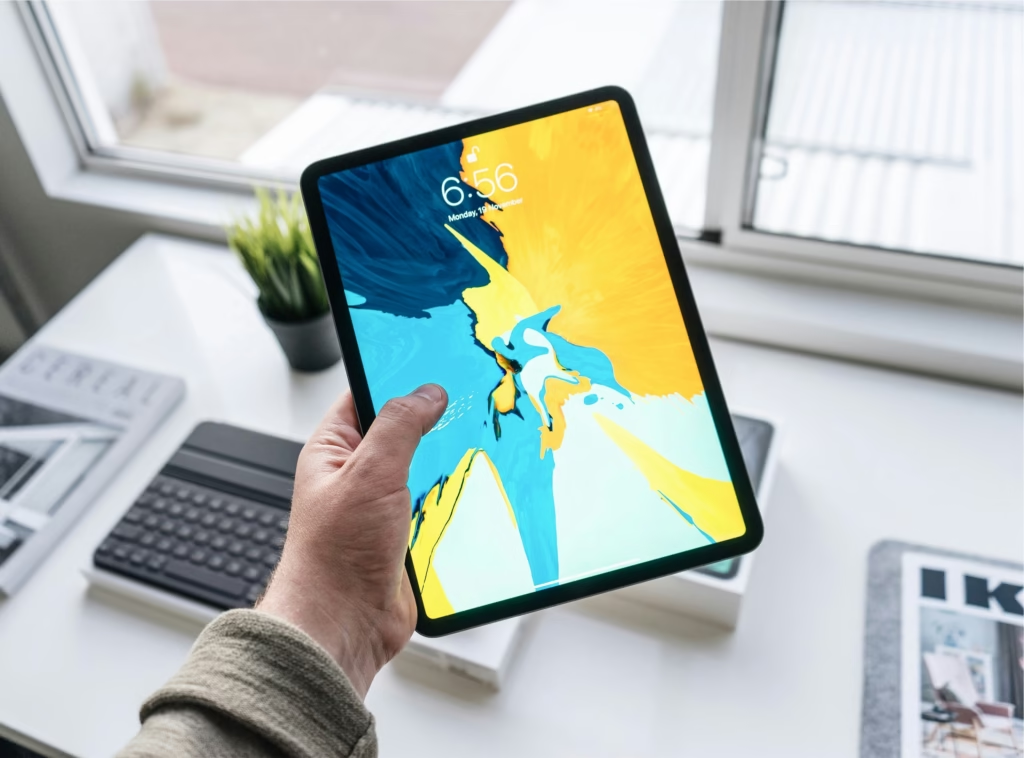
Looking for the best budget tablet for note-taking without spending $800+? You’re in luck. After testing dozens of models, I’ve found excellent options that deliver smooth stylus experience, long battery life, and reliable performance for under $500. The key is finding tablets with proper palm rejection, pressure sensitivity, and note-taking apps that actually work well for students and professionals.
Why You Need a Cheap Tablet for Notetaking
Paper notebooks are expensive and wasteful.
Budget tablet users on Reddit consistently praise budget models for student use, emphasizing battery life and S Pen accuracy.
Digital notes sync across devices, never get lost, and allow instant searching through months of content.
The math adds up quickly:
- Semester notebooks: $40-60
- Textbook highlighting: Lost books = lost notes
- Organization: Digital beats paper every time
Plus environmental benefits – one tablet replaces hundreds of notebooks over college years.
Essential Features in an Affordable Tablet
Palm Rejection Technology
Your hand will rest on the screen while writing.
Without palm rejection, accidental touches create messy, unusable notes. This feature is non-negotiable for serious note-taking.
Look for active stylus support rather than basic capacitive styluses. Active styluses communicate with the tablet for better accuracy.
Pressure Sensitivity Levels
More pressure levels = better writing experience.
Budget tablets offer 1,024-4,096 pressure levels. Higher numbers mean more natural pen-to-paper feel.
Minimum requirement: 1,024 levels for readable notes. 4,096+ levels feel like real pens.
Screen Size and Resolution
10-11 inches hits the sweet spot for note-taking comfort.
Smaller screens cramp your writing. Larger screens become heavy for daily carrying.
1920×1200 resolution minimum ensures text stays crisp when zoomed out to view full pages.
Top Tablet Features
Battery Life That Lasts
8+ hours minimum for full school days without charging anxiety.
Budget tablets often sacrifice battery for price. Check real-world usage reviews, not manufacturer claims.
Stylus battery matters too. Some styluses need charging, others use replaceable tips.
Storage and Expandability
64GB base storage minimum for serious note-taking.
Apps, textbooks, and notes add up quickly. Look for microSD expansion slots for future growth.
Cloud sync capability prevents data loss and enables cross-device access.
Best Budget Tablet for Note-Taking Under $500 (My Top Pick)
The Samsung Galaxy Tab A9+ 64GB with S Pen delivers flagship features at student-friendly prices.
Why it dominates:
- Included S Pen with 4,096 pressure levels
- 11″ display with excellent palm rejection
- 8+ hour battery life for all-day use
- Samsung Notes app with OCR text recognition
- MicroSD expansion up to 1TB
Stop struggling with expensive iPad alternatives. This tablet provides premium note-taking experience without the premium price tag.
Creative Bloq’s comprehensive testing confirms that budget options now rival premium tablets for basic note-taking tasks
Budget Digital Notebook App Options
Free Note-Taking Apps
Samsung Notes (Samsung tablets)
- Handwriting-to-text conversion
- Shape recognition for diagrams
- Seamless cloud sync
OneNote (Universal)
- Cross-platform compatibility
- Excellent organization features
- Audio recording integration
Noteshelf (Paid but worth it)
- Natural handwriting experience
- Customizable paper templates
- Backup and sync options
Specialized Apps for Different Needs
GoodNotes 5: Best for PDF annotation and textbook markup Concepts: Perfect for technical diagrams and sketches
Squid: Great free alternative with solid basic features
Entry-Level Tablet for Students: Performance vs. Price
Processing Power Requirements
Snapdragon 680 or equivalent minimum for smooth stylus tracking.
Slower processors create lag between pen movement and screen response. This lag makes note-taking frustrating.
4GB RAM minimum prevents app crashes during heavy use.
Real-World Performance Expectations
Budget tablets won’t match iPad Pro responsiveness, but they handle note-taking excellently.
Expect slight delays when:
- Switching between multiple apps
- Loading large PDF textbooks
- Using advanced drawing features
Smooth performance for:
- Basic handwriting and sketching
- Text recognition and searching
- Cloud sync and backup
Maximizing Your Cheap Tablet for Notetaking Setup
Essential Accessories
Screen protector with paper-like texture improves writing feel dramatically.
Tablet stand or case with multiple angles prevents neck strain during long study sessions.
Backup stylus or replacement tips – losing your pen shouldn’t stop productivity
Android Police’s detailed analysis highlights how Samsung’s S Pen technology provides excellent value in budget models
Organization Best Practices
Create consistent folder structures:
- Subject > Week > Topic
- Use descriptive filenames
- Tag important notes for quick searching
Regular backup routine:
- Weekly cloud sync verification
- Export important notes as PDFs
- Keep local copies of critical content
Common Tablet Mistakes to Avoid
- Choosing tablets without active stylus support → Poor writing experience
- Ignoring palm rejection capability → Unusable notes with accidental marks
- Buying tablets under 32GB storage → Constant storage management issues
- Skipping screen protectors → Slippery writing surface and scratches
What to focus on instead:
- Focus on stylus technology first
- Test palm rejection before buying
- Plan for storage expansion needs
Frequently Asked Questions:
Active stylus compatibility varies by model. Check specifications carefully – passive styluses don’t provide pressure sensitivity or palm rejection.
Yes, especially Samsung and Lenovo models. Look for tablets with 4GB+ RAM for smooth PDF handling and markup features.
Active styluses communicate with the tablet for pressure sensitivity and palm rejection. Passive styluses work like finger touches.
Many students do successfully. Key features: good handwriting recognition, reliable cloud sync, and comfortable writing experience.
Where to Buy
Ready to revolutionize your note-taking? The Samsung Galaxy Tab A9+ delivers premium note-taking features at a student-friendly price point.
Related Reads from Optiwire:
- For a better typing experience, see why many students are switching in our guide on why I switched to a mechanical keyboard for study sessions.
- To get more done with less distraction, check out how a simple desk setup hack doubled my focus time.
- And if you’re considering an upgrade, find out whether standing desks are worth it for students.