Smart Home Office Gadgets You Didn’t Know You Needed
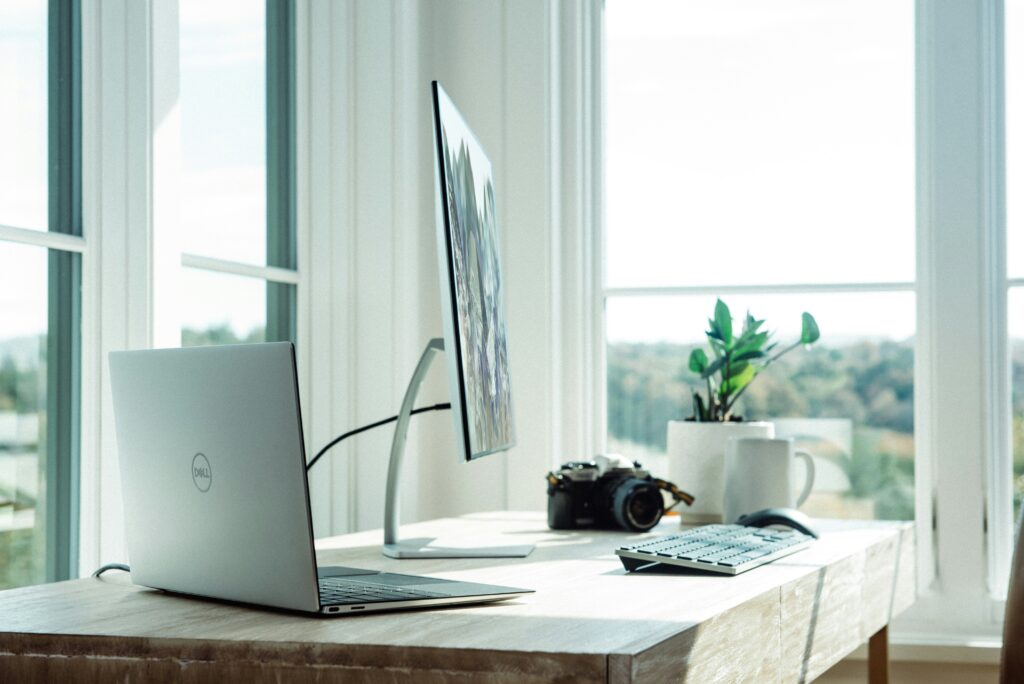
Some Smart Home Office Gadgets You Didn’t Know You Needed can solve your daily frustrations that slow you down. After working from home a while, I’ve found some simple office gadgets that eliminate common problems like cable mess, poor lighting, and constant distractions. These aren’t expensive tech toys, they’re practical home office tech accessories under $50 that make working from home actually enjoyable.
If you’re tired of hunting for cables, squinting at your screen, or losing important notes, these gadgets will change your workday immediately.
Fix Your Desk with Organization Tools
Problem: Your desk is always cluttered and you waste time searching for pens, cables, and sticky notes.
Solution: Smart organization gadgets that keep everything visible and within reach.
The biggest productivity killer is a messy desk that forces you to stop working and hunt for basic items. Instead of buying more storage boxes that hide everything, use organizers that keep essentials visible and accessible.
Essential Organization Solutions:
- Monitor-mounted organizers for pens and notes
- Magnetic cable holders that stick under your desk
- Multi-device charging stations that eliminate cable hunting
- Desk drawer organizers with phone-sized compartments
- Wall-mounted document holders for important papers
The Computer Monitor Message Board Organizer uses the empty space above or beside your monitor to store pens, sticky notes, and daily reminders where you can see them instantly. No more digging through drawers or losing important notes.
Stop Wasting Time with Productivity Boosting Devices
Problem: You spend too much time on repetitive tasks like adjusting lighting, switching between apps, or managing multiple devices.
Solution: Automation gadgets that handle routine tasks with one button press.
Wired’s workspace research shows people waste 45-60 minutes daily on small tasks that could be automated. Smart switches and lighting systems eliminate these micro-interruptions.
Simple Automation Tools:
- Smart light switches that adjust brightness throughout the day
- Programmable button controllers for instant shortcuts
- Voice assistants for hands-free timers and reminders
- Smart plugs that turn devices on/off automatically
- Wireless charging pads that eliminate cable plugging
Real-World Time Savers:
- One button launches your video call setup
- Lights automatically brighten for afternoon energy
- Coffee maker starts when your alarm goes off
- Computer and monitors turn on together each morning
- Phone charges wirelessly while you work
The Elgato Stream Deck Mini lets you program 6 buttons to do anything – launch Zoom, open project folders, toggle lights, or control music. It saves me 20+ clicks every day.
Eliminate Cable Mess with Wireless Office Tools
Problem: Cables everywhere create visual chaos and make desk cleaning impossible.
Solution: Reliable wireless devices that work as well as wired ones without the mess.
Modern wireless office tools finally match wired performance while eliminating cable management headaches. The key is choosing devices with long battery life and reliable connections.
Essential Wireless Upgrades:
- Bluetooth keyboards and mice with multi-device switching
- Wireless phone chargers built into desk accessories
- Bluetooth speakers for calls and background music
- Wireless backup drives that sync automatically
- Cable-free document cameras for video calls
Instant Benefits:
- Easier desk cleaning and rearranging
- No more tangled cables behind your monitor
- Devices work from anywhere in the room
- Less visual clutter reduces stress
- Setup takes minutes instead of hours
Asian Efficiency research shows wireless setups reduce daily setup time by 40% and eliminate decision fatigue from cable management.
Fix Poor Lighting with Innovative Adaptive Lighting
Problem: Eye strain, neck pain, and afternoon energy crashes from poor workspace setup.
Solution: Smart health gadgets that automatically adjust your environment.
Poor lighting is the hidden cause of afternoon fatigue and eye strain. Smart lighting and ergonomic gadgets prevent these problems before they start.
Health-Focused Solutions:
- LED bias lighting behind monitors to reduce eye strain
- Smart desk lamps that adjust color temperature automatically
- Posture reminder devices that buzz when you slouch
- Air quality monitors with purifier automation
- Noise machines that mask household distractions
Comfort Improvements:
- Heated desk pads for cold morning motivation
- Personal fans for air circulation without noise
- Ergonomic laptop stands that prevent neck strain
- Smart water bottles that remind you to drink
- Standing desk converters with movement reminders
NY Times Wirecutter studies show proper lighting and ergonomics improve focus by 25% and reduce fatigue by 30%.
Simple Office Gadget Integration Tips
Problem: You want the benefits of smart gadgets but don’t know where to start or how to make them work together.
Solution: Begin with one problem area and build your system gradually.
Don’t try to automate everything at once. Start with your biggest daily frustration and add connected devices slowly as you learn what works.
Beginner-Friendly Starting Points:
- Smart lighting for better focus and energy
- Wireless charging station to eliminate cable hunting
- Voice assistant for timers and quick questions
- Smart plugs for device automation
- Organization system for daily essentials
Simple Integration Ideas:
- Morning routine: Lights turn on with your phone alarm
- Focus time: Notifications silence when you start work apps
- Break reminders: Smart watch vibrates every hour
- End of day: All devices charge automatically
- Meeting prep: One button sets up camera and lighting
Common Beginner Mistakes:
- Buying too many gadgets before understanding your workflow
- Choosing incompatible devices that don’t work together
- Over-automating things that work fine manually
- Ignoring reliability for flashy features
Start with reliable basics, then add complexity once you understand how smart gadgets fit your specific work style.
Frequently Asked Questions
If you work from home less than 20 hours per week, focus on basic productivity tools first. Smart gadgets provide the most value for full-time remote workers who spend 6+ hours daily at their desk.
Prioritize compatibility with devices you already own, read reviews focusing on long-term reliability, and choose brands with good customer support. Avoid buying everything at once, start with one category and expand gradually.
Buying too many gadgets at once without understanding how they’ll integrate into existing workflows. Start with one problem area, master that solution, then gradually add complementary tools that work together.
Absolutely. Students benefit from focus-enhancing lighting, organization tools, and break reminders. Start with basic automation like charging stations and gradually add productivity-focused gadgets as study habits develop.
Where to Buy
Ready to transform your workspace with game-changing technology? Start with the Computer Monitor Message Board Organizer for instant organization improvements, then add the Elgato Stream Deck Mini for powerful workflow automation. These game-changing gadgets will revolutionize how efficiently and comfortably you work from home.
Related Reads from Optiwire:
- For a cleaner setup, explore our list of essential desk accessories for a minimalist workspace.
- If you’re working in smaller areas, don’t miss our picks for best compact desk accessories for dorm rooms.
- And to round out your setup, check out our guide on essential home tech accessories for productivity.