Top Curved Monitors for Productivity
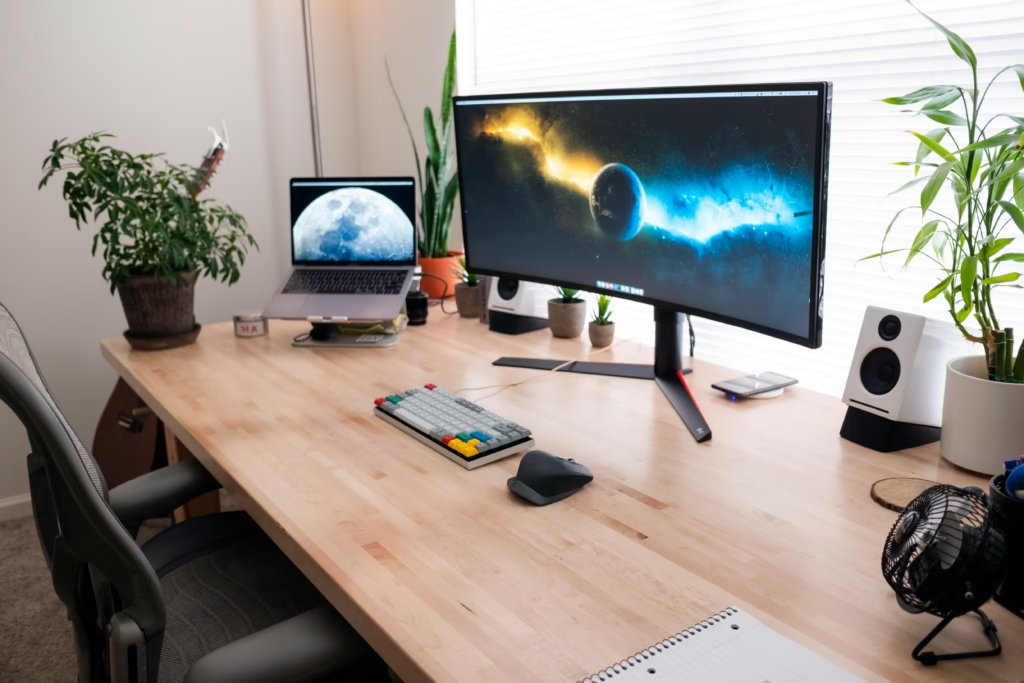
The Top Curved Monitors for Productivity aren’t just about looking cool on your desk. After switching from flat screens to curved displays, I noticed something huge: less neck strain, better focus, and way more comfortable long work sessions. A curved productivity monitor wraps around your field of vision naturally, making everything from spreadsheets to video calls feel more immersive and less tiring.
Why Curved Productivity Monitors Actually Work
Your eyes aren’t flat, so why should your screen be?
When you’re staring at a flat monitor all day, your eyes constantly refocus as they move across the screen. The edges are further away than the center, forcing your eyes to work harder. A curved screen keeps everything at roughly the same distance from your eyes.
Research from Harvard Studies shows curved monitors actually reduce eye strain during intensive visual tasks compared to flat displays.
Here’s what changes when you go curved:
- Your peripheral vision picks up more of the screen naturally
- Less head turning to see content on the edges
- Colors and text stay more consistent across the entire display
- You feel more “wrapped in” your work
What Makes a Curved Display Great for Work
The Sweet Spot for Curve Radius
Not all curves are created equal. The best curved monitors use either 1800R or 1500R curvature. The number represents the radius in millimeters, so 1800R means if you completed the circle, it would have an 1800mm radius.
For most desks, 1800R hits the perfect balance. It’s curved enough to feel immersive but not so aggressive that it looks weird.
Size Matters More with Curves
A 24-inch curved monitor barely makes a difference. The curve really starts helping at 27 inches, and it’s most noticeable on 32-inch and ultrawide displays.
Why bigger works better:
- More screen real estate to actually benefit from the curve
- Your peripheral vision can take advantage of the wraparound effect
- Multiple windows fit better without feeling cramped
My Top Pick: Samsung Essential Curved Monitor
After testing several options, the Samsung Essential Curved Monitor delivers exactly what most people need. It’s 27 inches with 1800R curvature, which feels just right for daily work.
What makes it stand out:
- Sharp 1920×1080 resolution that keeps text crisp
- 75Hz refresh rate (smoother than standard 60Hz)
- Multiple connection options for any laptop or desktop
- Eye Saver Mode to reduce blue light during late work sessions
Stop settling for neck strain and eye fatigue. This curved display will transform how you feel at the end of long work days.
Ultrawide Screen Options for Work
Going Ultra for Maximum Productivity
If you have the desk space and budget, ultrawide curved monitors are productivity powerhouses. These typically come in 34-inch sizes with 21:9 aspect ratios.
Benefits of going ultrawide:
- Two full-size windows side by side without bezels
- Spreadsheets that actually show enough columns
- Video editing timelines you can actually see
- Less window switching and alt-tabbing
Things to Consider Before Going Ultrawide
Ultrawide isn’t for everyone. Your graphics card needs enough power to drive all those pixels. And some software doesn’t play nice with ultra-wide aspect ratios.
Syn-Star’s productivity analysis breaks down exactly how curved screens can boost your workflow efficiency.
Ergonomic Curved Monitor Setup Tips
Getting the Distance Right
Sit about 24-30 inches away from a 27-inch curved monitor. For ultrawide displays, you might need to sit a bit further back.
The curve should feel natural, not like you’re looking into a fishbowl.
Height and Tilt Adjustments
Your eyes should hit the top third of the screen when you’re sitting normally. Most people set their monitors too low, which leads to neck problems.
A good curved monitor stand should offer:
- Height adjustment (at least 4 inches of range)
- Tilt capability (5-15 degrees back usually works best)
- Swivel if you sometimes need to show your screen to others
Multitasking Curved Display Workflows
Making the Most of Screen Real Estate
Curved monitors shine when you’re juggling multiple applications. Here are setups that actually work:
For writers:
- Main document in the center
- Research or reference material on one side
- Email or chat on the other side
For data work:
- Spreadsheet taking up most of the screen
- Data source or dashboard on the side
- Notes app in a small window
Developer use:
- Code editor in the main area
- Documentation on one side
- Terminal or testing tools on the other
Common Mistakes to Avoid
Don’t buy too small, 24-inch curved monitors aren’t worth it. Start at 27 inches minimum. Make sure your desk can center the monitor properly, and watch out for reflections on curved screens.
CDW’s comprehensive guide covers more pros and cons to consider before making the switch.
Is Curved Right for You?
Skip curved monitors if you frequently share your screen with others, do precise design work, or already have a multi-monitor setup that works well.
Most quality curved monitors last 5-7 years with daily use. The jump from flat to curved feels weird for about a day, then becomes natural.
Frequently Asked Questions:
Yes, research shows curved monitors can reduce eye strain during intensive visual tasks because they keep all parts of the screen at roughly the same distance from your eyes, reducing the need for constant refocusing.
Yes, curved monitors connect the same way as flat monitors through HDMI, DisplayPort, or USB-C. Your graphics card just needs to support the resolution you choose.
Absolutely. Curved monitors excel at multitasking because the wraparound design lets you see more content in your peripheral vision without turning your head as much.
If you spend long hours at your computer and experience eye strain or neck pain, the comfort improvement often justifies the higher price. Think of it as an investment in your daily comfort.
Most 27-inch curved monitors have similar footprints to flat monitors. Just make sure you can position it directly in front of where you sit for the best experience.
Where to Buy
Ready to upgrade your workspace? Get the Samsung curved monitor I recommend: Samsung Essential Curved Monitor on Amazon
Related Reads from Optiwire:
- For a firsthand look at boosting efficiency, don’t miss how a simple desk setup hack doubled my focus time.
- If video calls are part of your daily routine, check out our picks for the best webcams with microphones.
- And to make your workspace smarter and more efficient, explore our guide on best smart plugs and outlets for dorms.